When trying to use either SharePoint Designer 2013 or InfoPath 2013 to access resources on a SharePoint online site, I get the error “your account is in a bad state.”
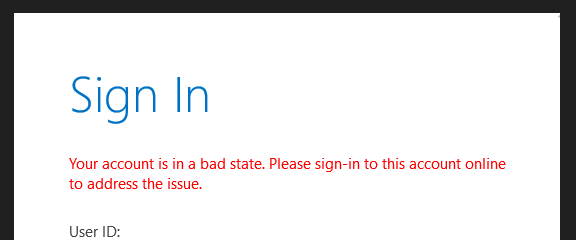
The was was from this posting User account login issue “Your account is in a bad state – Microsoft Community which I will copy below just in case it disappears…
Hi Foskor Sharepoint services,
Thank you for posting on Microsoft community, I’m happy to assist you on this inquiry.
As per your description you’re unable to login to Sharepoint designer 2013 with the error ” Your account is in a bad state “
I have conducted some research on this and concluded that such error could be caused by multiple factors, please follow the following troubleshooting steps so that we can identify root cause and try to resolve the issue:
Enter Windows+R and type regedit, then click OK
Locate the following registry key: HKEY_CURRENT_USER\Software\Microsoft\Office\15.0\Common\Identity, then check if you can find EnableADAL and Version DWORD key, if not, you can right-click Identity and select New > Key > DWORD, and enter EnableADAL and version, then you can set the value to 1, as shown below:
Please let us know if you needed any further help getting this issue resolved.
Kindly remember to vote to help other community members that might be facing the same issue.
Thank you for your patience and cooperation.
Kind Regards,
Sophia


 Learning SharePoint