Problem:
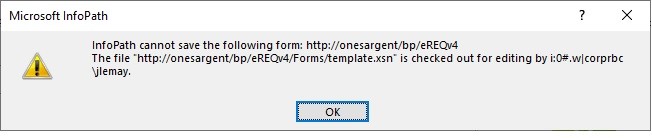
You’re editing an InfoPath form and try to publish it back to a form library and receive the error “InfoPath cannot save the following form: http://%5Byoursharepointsite%5D/ The file http://%5Byoursharepointsite/listname%5D/forms/template.xsn is checked out for editing by [yourname]”
Solution:
Open SharePoint Designer and navigate to the form library in question under the “All Files” group. Open the “Forms” folder. If it’s checked out, check it back in. If it is not checked out, then check it out and check it back in. Re-publish the form.
 Learning SharePoint